Auto Mode
Click " " button to enter auto mode.
In auto mode, the mode view will display result status of alignment stations and their output x, y, theta values.
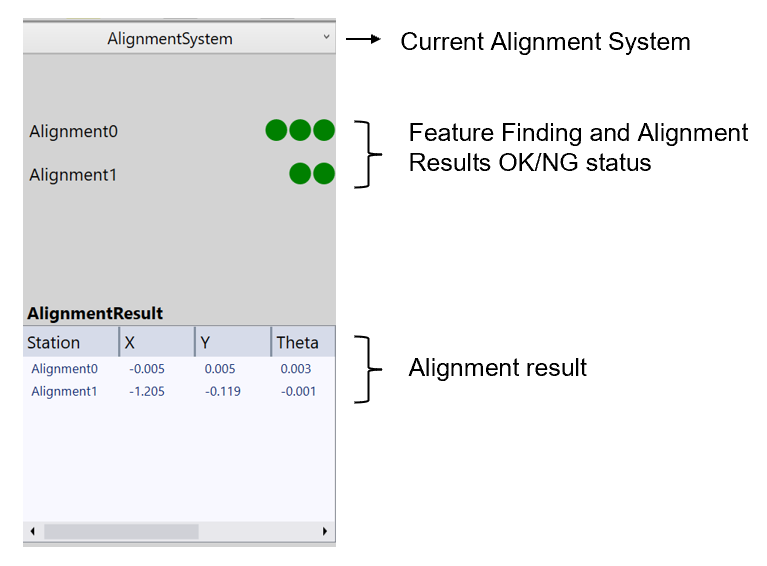
Here is an example project and its auto generated result status on mode view. In this project, there are two pose computers: Alignment0 and Alignment1. Alignment0 uses feature finder Features0's results, and Alignment1 uses Features1' results. Features0 needs to acquire images at both position0 and position1, while Features1 needs only to acquire at position0.
Correspondingly, on mode view, For Alignment0, the first light represents whether feature finding of Features0 at position0 is successful or not, the second light shows feature finding at position1 is successful or not, and the third one shows whether the alignment result is within align limit or not.
For Alignment1, the first light indicates whether all features in Features1 at position0 are found successfully, and second one displays whether alignment result of Alignment1 is within align limit or not.
To understand more about how to configure align limit, please refer to Placement Limit Checker.
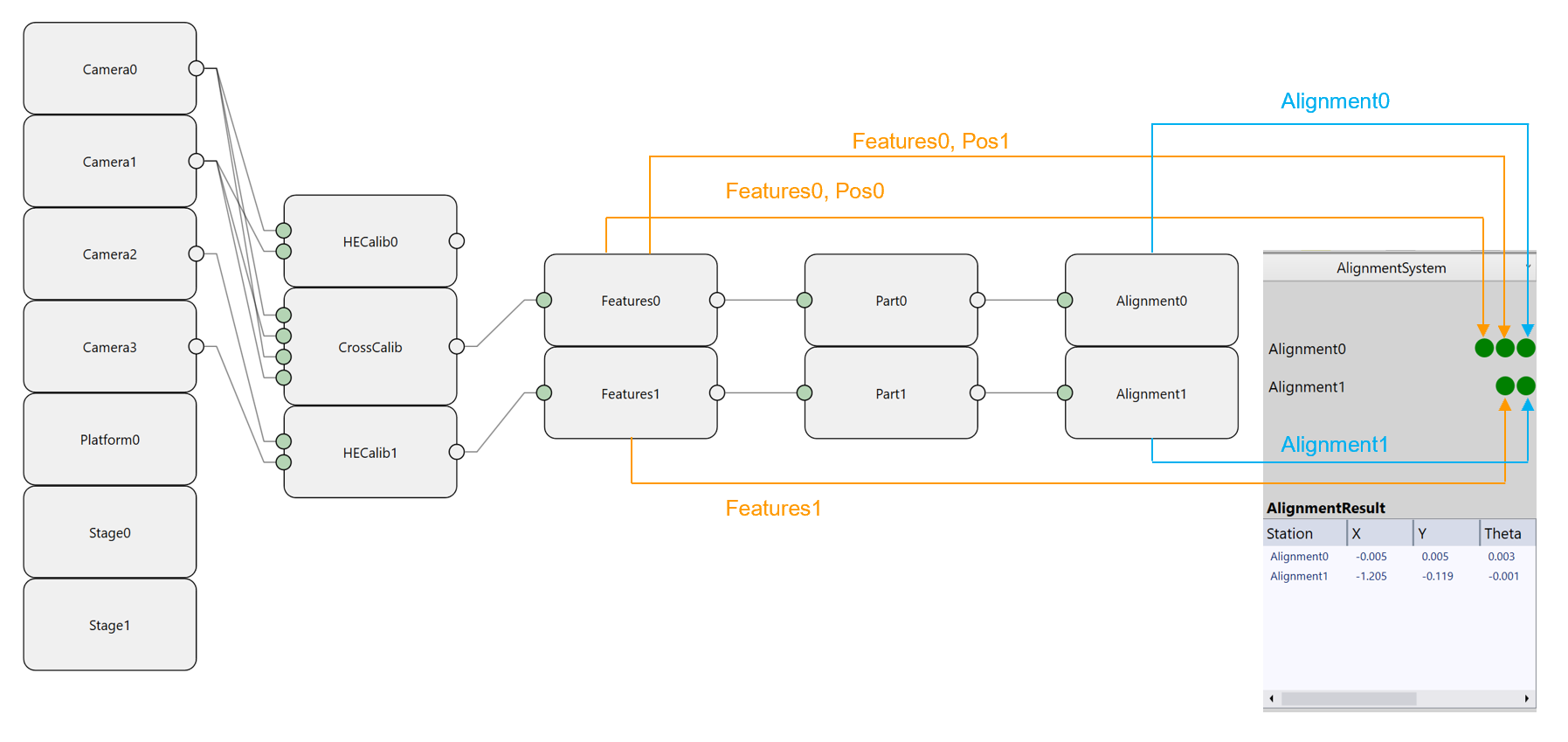
The AlignmentResult part shows each alignment station's X, Y, Theta results. These values will be sent to motion device right after it has been calculated out. Note that Theta here is in degree.